
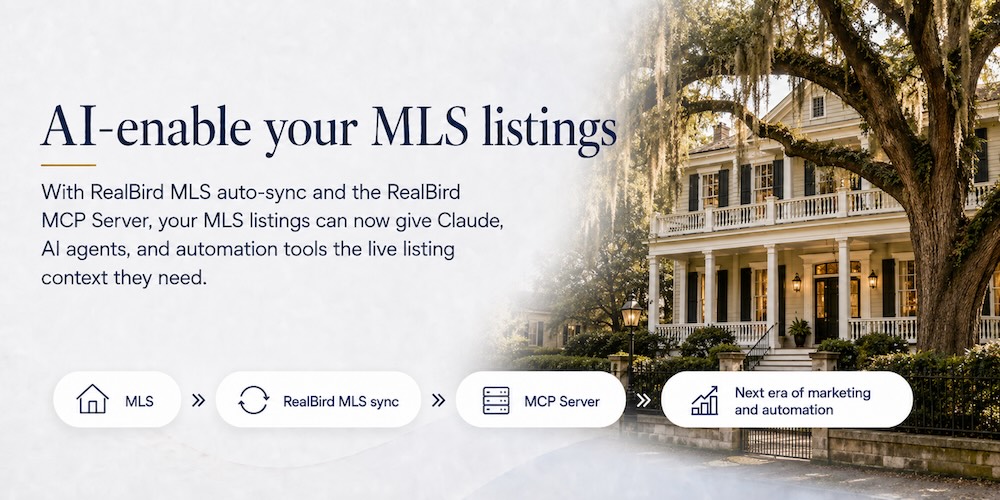
With MLS auto-sync and the RealBird MCP server, we just AI-enabled the whole real estate market. Real estate data was already available to LLMs, of course — but now your own real estate business context, your listings and your leads, is connected, with MLS compliance and security in mind. And that’s a game changer.
Pillar 1: MLS Auto-Sync — Your Listings, Pulled In Automatically
MLS auto-sync means you post a listing once, to your MLS, and it flows into your RealBird account on its own. There’s no re-keying, no copy-paste, and no separate upload step.
RealBird can connect to any MLS to pull your listings from. Alternatively, we can use your listing XML feed if it’s available — for example, all kvCore members have a listing XML feed, which includes all Re/Max agents in the USA.
You can request your MLS auto-sync setup right in the RealBird dashboard.
Pillar 2: The RealBird MCP Server — Your Listings and Leads as Live AI Context
This is the part that’s genuinely new. MCP (Model Context Protocol) is an open standard that lets AI tools securely connect to live data sources. The RealBird MCP server exposes both your synced listings and your leads as real-time, structured context to any MCP-capable AI tool — Claude, Claude Cowork, AI agents, and coding agents included.
That second half is the difference-maker. An MLS could build its own MCP server someday — but it would only ever expose listing data. It doesn’t have your business: your inquiries, your contacts, your follow-up pipeline. RealBird connects both sides of your business at once — the supply (your listings) and the demand (your leads) — so your AI assistant sees the full picture, not half of it.
In plain terms: your AI assistant can now “see” your active listings — addresses, photos, descriptions, status — and your incoming leads — who inquired, on which property, and when. And it can act on all of it directly, without you pasting anything in by hand. Ask it to draft a follow-up to today’s new leads, match a buyer inquiry to the right listing, or prioritize the hottest contacts — all grounded in your own live data.
It gets more powerful when you connect other tools alongside it. Link Canva, Gmail, and Google Drive to the same AI workspace and the automation compounds: generate listing marketing, then email a personalized version straight to the lead who asked about that property — end to end, in one flow.
How the Two Pillars Work Together
The value comes from the handoff between them:
- Post once. You publish your listing on the MLS as usual.
- Sync automatically. RealBird pulls it into your account — no manual entry.
- Expose as live context. The MCP server makes that listing, and any leads it generates, readable to your AI tools instantly.
- Act on a lead. A buyer inquires; your AI drafts a personalized follow-up matched to the right property.
- Automate and create. Connect Canva, Gmail, Drive, and more to turn listing and lead data into finished marketing and outreach.
We believe RealBird is one of the first listing-marketing services to give agents this kind of AI-native pipeline — and it’s available today.
Try It Free
New members get a free 14-day trial (no credit card required), so you can AI-enable your MLS listings at no cost and see the workflow for yourself.
Existing RealBird members: Log in to your profile and request MLS sync.
New to RealBird? Start your free trial and connect your first listing today.
Frequently Asked Questions
What is MLS auto-sync?
MLS auto-sync automatically imports your active listings from your MLS into your RealBird account, so you never have to re-enter listing data manually. It isn’t tied to a single MLS platform — RealBird can sync from your MLS regardless of which one you use.
What is the RealBird MCP server?
The RealBird MCP server uses the Model Context Protocol — an open standard for connecting AI tools to live data — to expose your listings and leads as real-time context to MCP-capable AI assistants like Claude and Claude Cowork. This lets AI tools read and act on your business data directly.
What data does the RealBird MCP server expose — just listings?
Both your listings and your leads. That’s what sets it apart from an MLS-only MCP server: an MLS can expose listing data, but only RealBird connects your own leads, inquiries, and follow-up pipeline alongside your listings, giving your AI tools the full picture of your business.
Which agents can use MLS auto-sync?
Any agent, on any MLS — RealBird can connect to your MLS to pull your listings. If your account has a listing XML feed, we can use that instead; for example, all kvCore members have one, which includes every Re/Max agent in the USA.
How do I set up MLS auto-sync?
Request your MLS auto-sync setup directly in the RealBird dashboard, and we’ll connect it for you.
What AI tools can connect to my RealBird listings and leads?
Any MCP-capable tool, including Claude, Claude Cowork, AI agents, and coding agents. You can also connect complementary tools such as Canva, Gmail, and Google Drive to automate marketing and outreach using your listing and lead data.
Is my data secure and MLS-compliant?
Yes. RealBird connects your business context to AI tools with MLS compliance and data security in mind, so your listings and leads are exposed as controlled context rather than being handed off freely.
Is there a free trial?
Yes. New members get a free 14-day trial with no credit card required, so you can AI-enable your MLS listings at no cost.